Frequently asked questions
and other important information
Definition of a backup
Backup is a copy of data created to restore said data in case of damage or loss.
The original data is not deleted after a backup is made.
Examples of backups include a daily backup of all files on your server, laptop or desktop,
copied to an off-site location or external storage device. This can be done either as a
Full Backup or as an Incremental backup.
A backup might focus on the data, as in a database dump,
the operating system of the server physical machine,
or on both as with backup of a virtual machine.
The definition of backup really comes down to purpose, and the purpose of a backup is always the same: to restore data if something happens to it. For example, a RAID 6 array might have a triple-disk failure, and all its data will need to be restored.
Someone might accidentally or maliciously delete one or more VMs in your virtual server environment, and they would need to be restored.
You might one day realize every file in your organization has been encrypted by a ransomware package. Without a good backup system, your choice would be to pay the ransom. With a good backup system, you could figure out the source of the ransomware, stop it, then restore all your data – without ever paying the hacker.
Quoted Sizes
We use the SI standard Decimal Storage Space sizes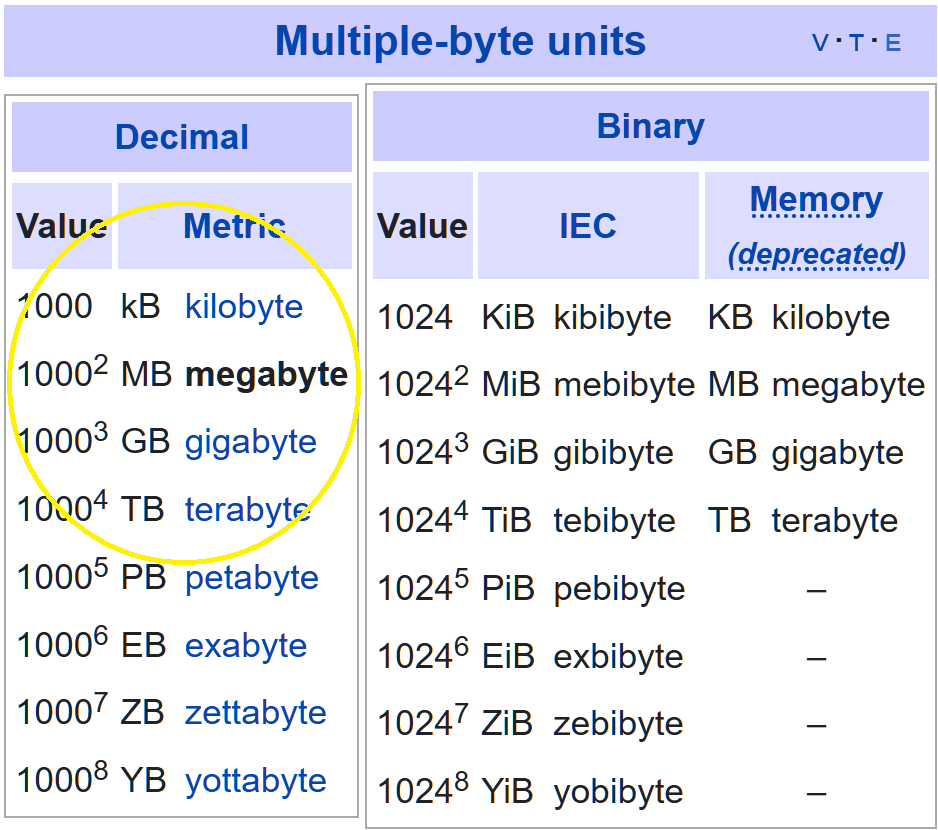
Bit rot is a thing ?
Place holder bit rot article
Backups need verification and testing
Place holder Backups need verification and testing
Backups need backups too
Place holder Backups need backups too
Definition of an archive
An archive is a copy of data created for reference purposes.
Although not required, the original is often deleted after an archive is made.
Where the purpose of a backup is to put something back to how it looked (usually) yesterday, an archive can serve multiple purposes. The most common purpose is to help you find some data from a long time ago. It could be single file that had a really important item in it, such as a contract a customer signed several years ago. It might be a related group of data, such as all the structural drawings of the building that just collapsed. Or it might be all the CAD drawings of the widget your company used to make that went out of style but is now back in style.
Another related data set might be all emails and/or files that can prove a given point. Perhaps an employee believes they were given permission to moonlight, and then was fired for doing so. Their lawsuit might issue an electronic discovery request asking for all emails to and from them that contain the words moonlight, after-hours or the name of the company they were going to moonlight for. Someone else might be trying to prove a hostile work environment and want to see all emails from a particular set of managers that contain a certain list of words that we do not need to list here.
An archive is what would help you accomplish all of these tasks. You might have an archive of every sales order, quote or contract your company has ever given. You might keep current contracts and orders online, but you keep all of them in the archive, which should have an index to let you retrieve orders and contracts via the content of those orders. You also might have an archive of every email ever sent or received by your company. Some email archive systems can purge from the email server emails that have been archived, are bigger than a certain size, and/or haven’t been accessed in over n days. This helps keep the email system lean, saving on computing and storage resources, and making it easier to backup. That might even be the purpose of that archive, if you’re not required by law to keep all emails.